
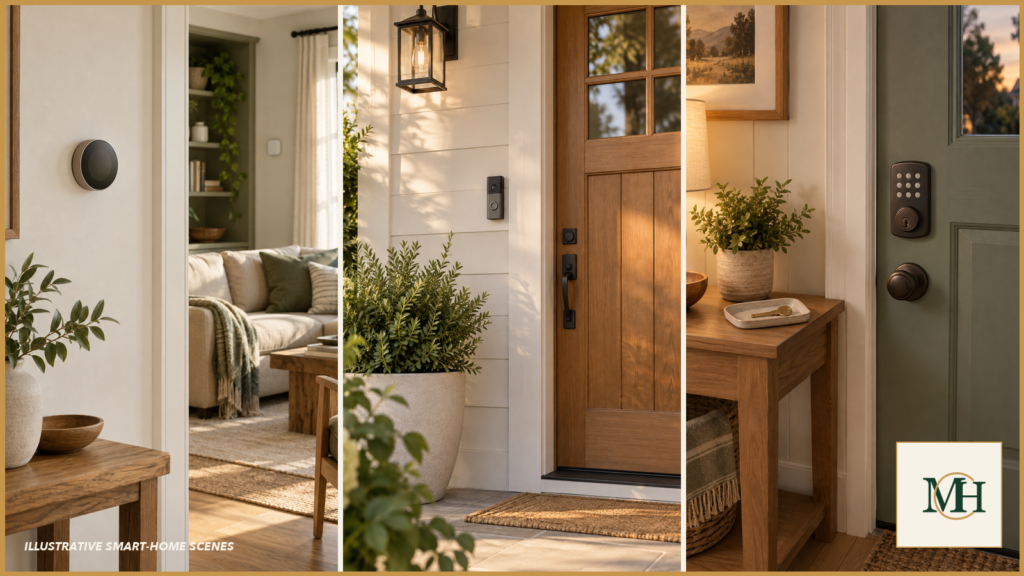
Deciding what to automate at home starts with identifying which repeated tasks benefit from consistency and which still need human attention.
Smart-home decisions often begin with products: a hub, a sensor, a switch or an app. A calmer starting point is the routine. What are you repeatedly trying to remember? What would happen if a device performed it late, early or not at all? Does doing it yourself help you notice something important?
Automation is valuable when it removes a small, recurring burden without concealing meaningful information or creating a larger system to maintain. Manual action is valuable when the moment requires judgment, awareness or a deliberate pause. Neither is automatically more modern. The right choice is the one that makes the household easier to run and easier to understand.
In our household, with children and two working parents, the right automations reduce a meaningful amount of mental load. I do not expect them to make every decision. I use them to handle predictable actions while keeping exceptions, interpretation and access decisions human.
Four examples make that distinction especially clear in our home: Alexa announcements, a Nest thermostat with room sensors, a Ring doorbell camera and a Wi-Fi keypad lock. None is completely hands-off. Each earns its place by reducing a repeated task while leaving us a visible way to intervene.
What to automate at home: a four-part test
Before choosing a device, evaluate the task across four dimensions.
1. Is it repetitive and predictable?
The clearest candidates recur under similar conditions. A light that turns on at a defined time, a reminder tied to a schedule or a device that follows a consistent occupancy pattern may reduce routine mental load. By contrast, a task with exceptions every day can require so many conditions that the “solution” becomes another hobby.
Describe the routine without naming a product: “I want the entry light available when arriving after dark,” for example. Then list the exceptions. If the exceptions are longer than the routine, keep the first version simple.
2. What is the consequence of failure?
Imagine four states: it runs correctly, runs at the wrong time, fails to run, or cannot be controlled. A minor lighting inconvenience is different from a missed safety check or an inaccessible entry. The greater the consequence, the more important independent safeguards, visible status and qualified design become.
Automation should not be the only layer protecting people or property. Never bypass required alarms, guards, inspections or professional oversight. A consumer routine is not a substitute for a life-safety system.
3. Does manual action provide useful information?
Some chores are also inspections. Walking to close a garage or gate lets you see whether the path is clear. Watering a plant invites you to notice wilting, pests or a leaking container. Turning something off may reveal heat, smell, vibration or sound.
If removing the action also removes observation, decide how that information will remain visible. Sometimes a notification is enough. Sometimes it is noisy and gets ignored. Sometimes keeping the routine manual is the more useful design.
4. How much system will the solution add?
Count the dependencies: device, app, account, hub, network, cloud service, subscription, battery, shared-household permissions and integrations. Each may be reasonable, but each is another point to configure, update and eventually replace.
The smallest system that solves the defined problem is often the best first test. A compatible dusk-to-dawn bulb, for example, may address one lighting routine without requiring a broader platform. That example is not universal: fixture type, enclosure rating, location, controls and manufacturer requirements still matter.
Good candidates: repetitive, low-consequence tasks
Common candidates include predictable lighting, noncritical reminders and comfort settings with easy overrides. The exact choice depends on the household. A renter may need a removable solution; a shared home needs controls everyone can understand; a person with accessibility needs may value voice or remote control differently.
Before buying, write one outcome sentence: “This should save me from remembering _ while preserving _.” That second blank prevents the device from quietly removing something useful.
How this works in our home
Alexa announcements: automate repetition, keep the message human
One of the smart-home features I use most is not the most impressive one. It is the announcement feature on the Alexa Echo devices in our rooms.
When I am working in my office and it is time for the family to leave for an appointment, I used to call each person separately or walk from room to room repeating the same message. Now I can make one short announcement across the house: it is time to leave and meet at the car.
This is the kind of automation that earns its place in our home. It removes a repetitive step, but it does not make the final decision for us. I still decide when we need to leave, what the family needs to know and whether an ordinary conversation would be better. The device simply carries the same practical message to several rooms.
The useful test is not whether a feature feels futuristic. Ask:
- Does it remove something I genuinely repeat?
- Can everyone still communicate without it?
- Is the account access intentional and secure?
- Does it create fewer interruptions than it removes?
For our household, announcements pass that test. They are small, understandable and easy to ignore when a direct conversation makes more sense.
Privacy note: Voice assistants may process recordings, device activity and household data. Review the current privacy, recording-history, household-access and security settings for the exact service and devices you use. Do not include private details, access codes or sensitive schedules in a whole-home announcement.
That routine follows the same rule I use for every connected-home decision: automate repetition, but keep judgment human.
Nest thermostat: automate the routine, override the exception
We use scheduled temperature changes, presence-based home-and-away behavior and remote adjustments. Room sensors help us choose which room’s reading should guide the thermostat at different times; they should not be confused with independent room-by-room heating or cooling unless the HVAC system itself supports zoning.
Most days, the automation handles the repeated decisions. I intervene when our schedule changes unexpectedly or when the household’s comfort needs differ from the planned routine. Early on, we also had to correct how the system interpreted the primary household members being away. That experience reinforced an important rule: presence automation needs to reflect the whole household, not only one person’s phone or routine.
Ring doorbell: automate visibility, not the response
The doorbell camera gives us visibility when we are occupied elsewhere or away from home. The useful notifications are actual doorbell rings and relevant person activity—not every movement the camera can detect. We narrowed the motion-detection area and reduced unnecessary alerts so the signals that remain are easier to notice.
The device can show us that someone is there, but it cannot make the contextual decision for us. We still review what is happening and decide whether to answer, speak through the camera or open the door. It supports awareness; it does not replace judgment or guarantee security.
Wi-Fi keypad lock: automate convenient access, keep control and backup
Keyless entry means family members do not need to carry a key every time. We use individual access for family members and temporary access for service providers. During one meeting, I was able to open the door remotely for our cleaners rather than interrupt the meeting or leave a key outside.
That convenience still requires human control. We decide who receives access and for how long, maintain the batteries and keep a physical-key backup. Access features and scheduling vary by model, so households should verify current manufacturer documentation rather than assume every connected lock behaves the same way.
Keep judgment close to safety-critical tasks
Tasks involving fire, gas, water, access, electrical systems, vulnerable people or significant property risk need careful boundaries. Connected sensors can provide useful information, but a notification is not proof that a condition is safe. Remote control is not the same as direct verification. Product capabilities, regulations and installation requirements vary.
If a device connects to electrical wiring, fuel-burning equipment, locks, water shutoffs or life-safety equipment, follow manufacturer documentation and applicable codes, and involve a licensed professional where required. Do not disable manual controls or required safety equipment to make an automation work.
Keep a routine manual when the habit helps
Efficiency is not the only value. A manual evening walk-through may help someone notice doors, windows, lights or a change in the house. Opening shades may be tied to a welcome morning rhythm. Hand-watering a few plants may be restorative rather than burdensome.
The deciding question is not whether a machine can do it. Ask whether the human action is serving a useful purpose—practical, sensory or emotional. If it is, keep it. Smart-home design should support the household’s attention, not treat all attention as waste.
Check the quiet costs
Before bringing a connected device into the home, review:
- Compatibility: Does it work with the actual fixture, wiring, network, phone and platform?
- Manual override: Can someone still operate the essential function without an app or internet connection?
- Household access: Can other residents and trusted visitors use it without borrowing a personal account?
- Failure behavior: What happens during an outage, dead battery, lost phone or service interruption?
- Privacy and security: What data is collected, where it is processed, who can access it and how updates are delivered?
- Longevity: Will the core function remain useful if the subscription, integration or manufacturer support changes?
Privacy policies and product capabilities change. Review current official documentation at the time of purchase and configure unique credentials, available multifactor authentication and updates according to current qualified guidance.
Run a small field test
Choose one low-consequence routine and define success before installing anything. Test one location for a set period. Notice not only whether it works, but whether it creates alerts, confusion or maintenance. Ask everyone affected whether the manual control is obvious.
Record the model, purchase date, app/account owner, battery type, reset steps and the reason it exists. If the device does not reduce effort after the novelty fades, removing it is a valid result.
For us, the thermostat and doorbell camera are the two devices we would replace most quickly if they stopped working. The keypad lock is highly convenient but less essential. That ranking helps separate a device that genuinely supports the household from one that is simply enjoyable to have.
The next useful step
Name one routine you are tired of remembering. Decide what information or habit must remain visible, then look for the smallest compatible solution with a manual override. Expand only after the first automation genuinely earns its place.
Safety and professional caveat
This article is general educational information, not electrical, security, privacy, accessibility or life-safety advice. Follow current manufacturer instructions and applicable rules. Do not work on energized equipment or modify wiring, alarms, locks, fuel-burning appliances or plumbing beyond your competence and authorization. Consult licensed or otherwise qualified professionals for installation and risk-specific guidance.

