
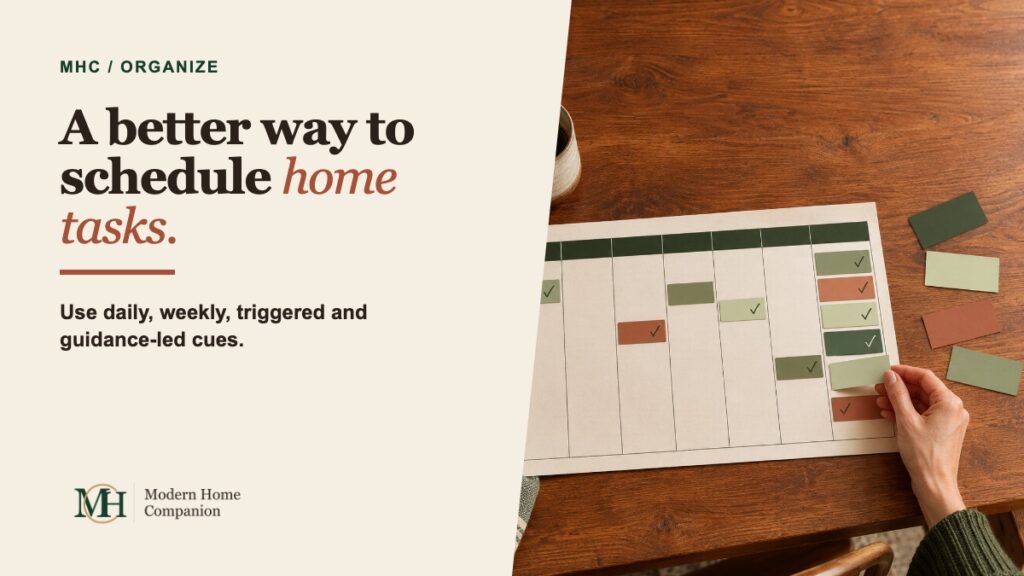
It is easy to treat a home calendar like the answer to every unfinished task. If something matters, give it a day. If it keeps returning, make it weekly. If you are afraid of forgetting it, turn it into a recurring reminder.
That approach works for some household work. It also creates a calendar full of tasks that do not become useful simply because Tuesday arrived.
A sticking drawer does not need a weekly inspection when it is working normally. A product filter should not automatically follow a generic social-media schedule when its manual, indicator and operating conditions say something different. A small landing spot that fills through everyday use may benefit from a brief daily reset, while non-urgent paperwork may be easier to handle in one weekly batch.
The better question is not only, “How often should I do this?” Ask, “What should cue this task?”
Use four buckets: daily, weekly, triggered and guidance-led. The result is not a perfect universal chore chart. It is a lighter home-task system that responds to real use, real conditions and the guidance that applies to your home.
Why every task does not need a recurring date
A recurring reminder is useful when the passage of time is genuinely the best prompt. But many household tasks are created by use, a visible condition, a specific event or a product requirement.
Putting all of them on a calendar can create three problems:
- False urgency: A reminder makes a low-priority task feel overdue even when nothing requires action.
- Reminder fatigue: Too many recurring items make it easier to ignore the few that truly matter.
- Poor timing: A calendar may prompt work too early, too late or more often than the product, material or situation requires.
Fewer scheduled tasks is a reasonable goal. The aim is not to stop maintaining your home. It is to give each task the lightest reliable cue.
The four-bucket home-task sorter
1. Daily: normal use recreates the task
A daily task is closely tied to something your household uses every day. The activity recreates the friction, so a small reset attached to that use can keep the path clear.
Examples may include returning keys and bags to the landing spot, clearing the kitchen surface used to prepare the next meal, or resetting the bathroom counter after the evening routine.
The important word is small. “Reset the landing spot” is a usable cue. “Clean the whole entryway every day” turns one path into a much larger obligation.
Ask: Does normal use recreate this problem almost every day? If yes, connect a brief reset to the end of that use rather than assigning a separate project.
2. Weekly: it is safe and easier to batch
Some work is inefficient when handled every time it appears. If the task is safe to delay briefly and easier to complete with one setup, a regular review window may help.
Examples may include reviewing non-urgent household papers, planning the next grocery order from one running list, or returning items collected in a small household catch-all basket.
Weekly does not have to mean a specific weekday forever. It can mean “during our regular household review.” The value is the batch, not the label on the calendar.
Do not use this bucket for urgent, safety-related or time-sensitive work. A bill with an immediate deadline, a leak or a damaged electrical component should not wait for the household review window.
Ask: Is this safe to delay, and does batching reduce repeated setup or decision-making?
3. Triggered: an event or condition starts the task
A triggered task begins because something happened or changed. The cue is the condition—not an arbitrary date.
Examples may include investigating a drawer that starts sticking, cleaning a spill when it happens, checking a drain when it begins emptying more slowly than usual, or reviewing outdoor items before a forecasted storm.
Triggered does not mean “wait until it breaks.” It means defining an observable prompt that tells you when attention is useful.
Write the cue clearly. “Check drawer hardware monthly” may create unnecessary work. “If the drawer stops gliding normally, empty it, check for an obstruction and follow the hardware guidance” connects the task to a meaningful change.
Do not force, dismantle or repair unfamiliar hardware or equipment merely because you noticed a symptom. Stop when work requires technical knowledge, creates a safety risk or could conflict with a warranty.
Ask: What visible event, change or condition should start this task?
4. Guidance-led: the product, material or professional sets the rule
Some tasks should begin with the current guidance for the exact item you own. The manufacturer, material instructions, installer, warranty or qualified professional may set an inspection, cleaning or replacement interval.
Examples may include checking or cleaning an appliance filter, maintaining a particular countertop or flooring material, testing or replacing a safety device according to its instructions, or completing service required by a warranty or qualified provider.
Generic schedules can be useful prompts to locate the instructions, but they should not replace them. Model, material, household use and operating conditions can change what is appropriate.
Ask: Does the exact product, material, warranty or qualified professional provide the starting rule? Record that source with the task so the interval does not become an unsupported household guess.
Triggered and guidance-led can overlap
The buckets are sorting tools, not rigid walls. A product may have a regular inspection interval and an indicator that creates an earlier trigger. A material may need routine care plus prompt attention after a spill.
When more than one cue fits:
- Follow safety requirements and current product or material guidance first.
- Note any condition that should prompt earlier action.
- Choose the lightest household reminder that still helps you follow those rules.
For example, an appliance manual may specify how to inspect a filter, while an indicator or a change in performance may tell you to check sooner. The household reminder can point you back to the instructions; it should not invent a replacement interval.
A worked home-task table
| Home task | Best starting cue | Why |
|---|---|---|
| Return keys and bags to the landing spot | Daily | Everyday use recreates the clutter and the reset is small. |
| Review non-urgent household papers | Weekly | The work is usually safe to batch and easier in one review window. |
| Investigate a drawer that begins sticking | Triggered | A change in normal operation starts the task. |
| Check an appliance filter | Guidance-led | The exact model, indicator and operating conditions shape the rule. |
| Clean a spill | Triggered | The event itself creates the need. |
| Reset a meal-prep surface | Daily | Normal use recreates the need and the next use benefits from the reset. |
| Care for a specialty countertop | Guidance-led | The material or installer instructions should lead. |
| Review a household catch-all basket | Weekly | A batch prevents constant one-item decisions. |
These are examples, not universal assignments. Your household use and the exact product or material may change the correct cue.
How to sort your own task list
Take one recurring task at a time. Do not rebuild the entire household system in one sitting.
Step 1: Write the task as a specific action
Replace “deal with the entryway” with “return keys, bags and shoes to their landing spots.” Replace “maintain dryer” with the exact action supported by the model’s instructions.
Step 2: Ask the four questions
- Does normal use recreate it every day?
- Is it safe and easier to batch?
- Does an event or condition tell me when?
- Does the exact product, material or professional set the rule?
Step 3: Record the cue—not only the frequency
Instead of writing “drawer—monthly,” write “drawer—if it stops gliding normally.” Instead of “filter—every month,” record the exact manual location, relevant indicator and supported interval.
Step 4: Remove reminders that no longer serve a purpose
If a task has a reliable trigger or lives naturally inside everyday use, it may not need another recurring notification. Keep a calendar entry only when it helps you act at the right time.
Step 5: Review after real use
Try the lighter system for a few weeks. If something important is consistently missed, strengthen the cue. If reminders keep appearing when no action is needed, revise or remove them.
A shorter schedule can still support a well-run home
Good home management is not measured by the length of the chore chart. It is measured by whether important work is noticed, understood and handled at a useful time.
Daily tasks can stay connected to daily use. Weekly tasks can wait for a calm batch. Triggered tasks can begin when a meaningful condition changes. Guidance-led tasks can follow the source that actually applies.
The next time you are about to add another recurring reminder, pause and ask: Does this task need a date—or does it need a better cue?
Boundaries and disclosure
This framework is for general household organization. It does not replace manufacturer instructions, warranty requirements, building guidance or qualified professional advice. Safety-related, urgent and time-sensitive work should not be delayed to fit a routine. Supporting images are AI-generated and illustrative; they do not depict a verified MHC household result or product test.
See the original Home Task Cue Sorter on Instagram.

